A serious crawler on your own machine.
Hex Desktop runs the Hex crawler locally on Mac and Windows. Crawl as much as your machine can handle, keep the data on your computer, and send results to Hex when you want to.
Downloads open at launch. Email us to get the first build.
Everything a technical audit needs.
Spider crawl, your way
Max URLs, depth, threads, delay, include and exclude rules, subdomains, query stripping, user-agent presets, headers, cookies, basic auth, staging host override and saved configurations.
The tabs you know
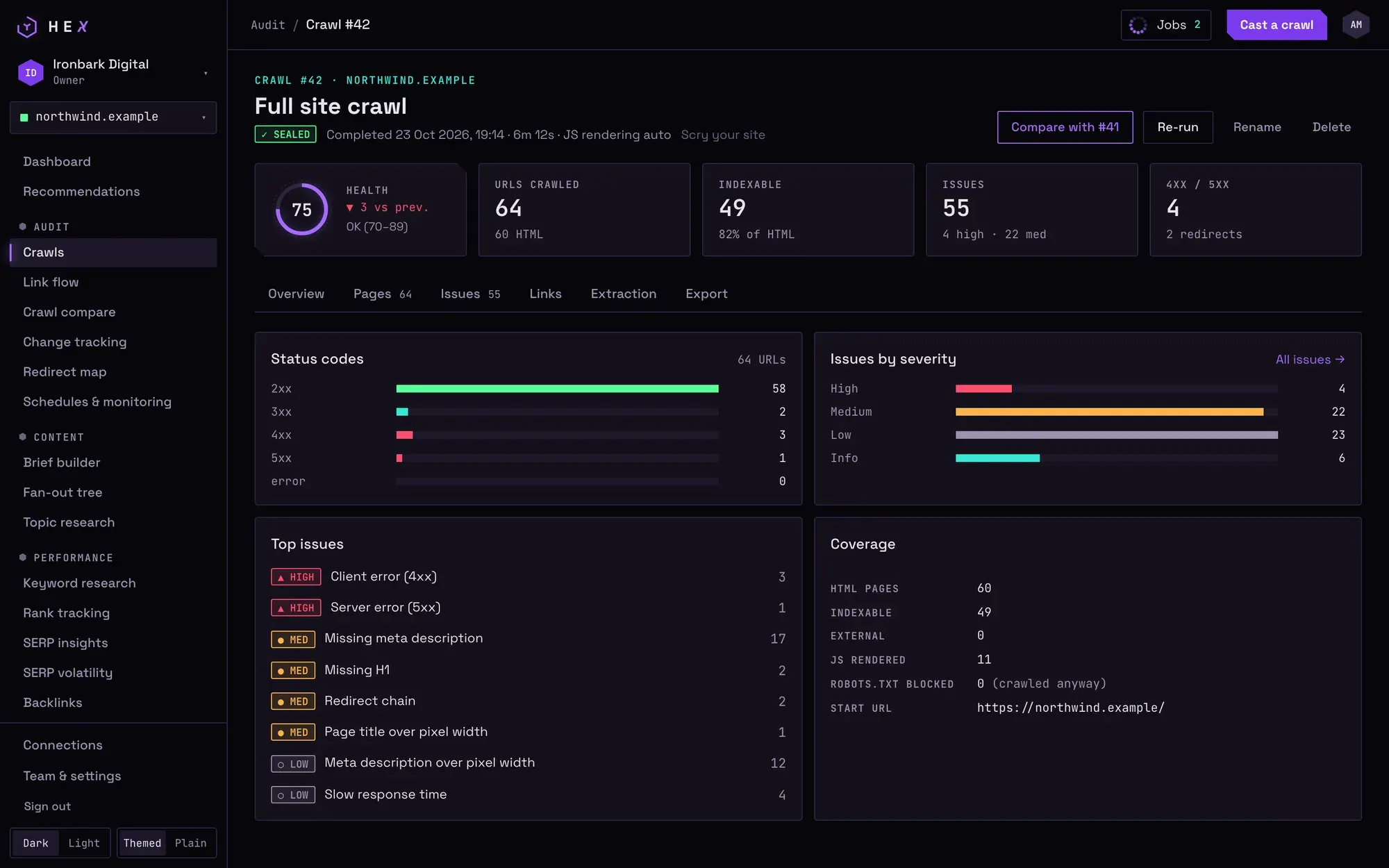
Internal, external, response codes, titles, meta descriptions, H1, H2, content, images, canonicals, directives, hreflang, structured data and sitemaps, with filters and counts. A lower pane shows inlinks, outlinks, redirect chains and a SERP snippet.
Hints, not just errors
Every issue explains why it matters, how to fix it and the effort involved, grouped by priority, with overview charts that open their URLs as filters.
Link Score and TIPR
Internal PageRank and true internal PageRank with backlinks injecting equity, from a CSV export or Hex backlink data.
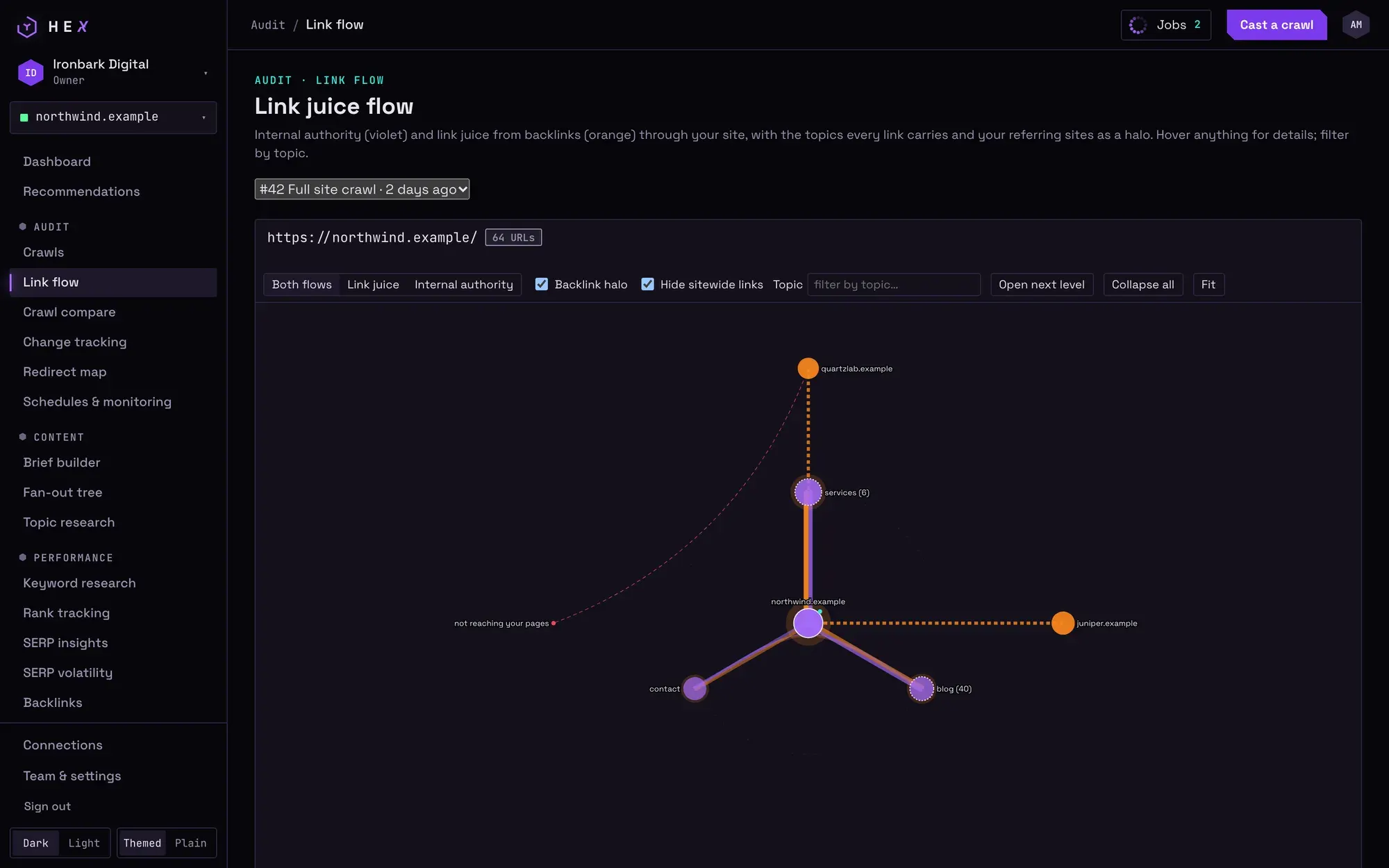
Link flow map
Internal authority and link juice from backlinks drawn as two strands, referring domains as an outer halo, and the topics each page and link carries.
Log file analyser
Apache, nginx, CloudFront and Cloudflare logs. Googlebot and Bingbot verified by DNS, fakes counted apart, AI crawlers listed, and pages bots never fetch.
More of the toolkit
List mode, near-duplicate content, custom extraction and search, crawl compare, scheduled crawls, bulk CSV exports and an XML sitemap generator.
Sync to Hex
Sign in to send a crawl or its fixes to your Hex workspace, and load backlinks through your Hex account. Crawling never needs an account.
Questions
Do I need a Hex account to use the desktop app?
No. Crawling, hints, exports and CSV backlink imports work without an account. Sign in only to use Hex data such as backlinks, or to sync crawls to a workspace.
Where is my crawl data stored?
On your computer, in the app’s data folder (Application Support on macOS, AppData on Windows). It only leaves the machine when you sync it to Hex.
Can it render JavaScript?
Yes. The app downloads a headless Chromium on first use, then renders pages automatically or on every page.
Do I need my own DataForSEO or other API keys?
No. Paid data comes through your Hex account, so no provider keys are entered or stored in the app.
Want the first build?
Desktop builds go to people who ask first. Ask for Hex access too, to sync crawls and use backlink data.
Hex is in private beta: access is by invitation.